Running PySpark on Kubernetes
September 02, 2019
Documenting the steps I had to go through getting PySpark running on an on premise Kubernetes (K8S) cluster on OpenStack. This cluster has TLS certificate based transport security (HTTPS) enabled and the workloads are to be isolated into it’s own Kubernetes Namespace. Some of these steps were performed from Rancher 2 UI and others from kubectl command line.
Setting up kubectl (on MacOS) for cluster access
We use Rancher 2 for managing the K8S clusters. You need to download the kube config file from the UI (may be there is another method).
Getting the kubeconfig file from Rancher
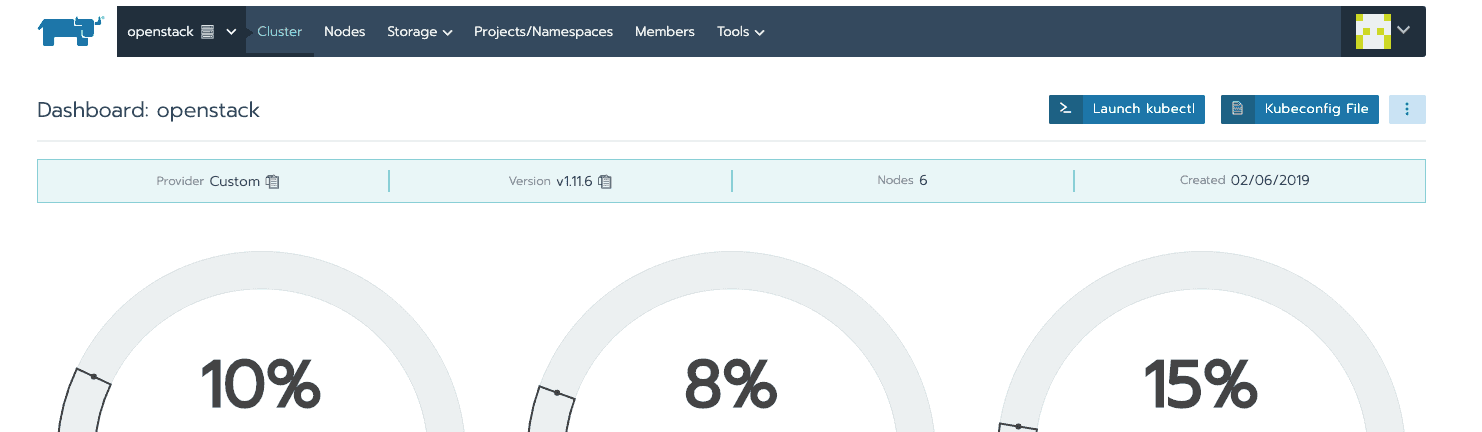
Click on the cluster dashaboard page on Rancher UI and click on the Kubeconfig File button on the right. This will pop up a rather large dialog with the kubeconfig file contents. At the botttom of this dialog is a Copy to Clipboard button. Click it and paste it to a file. This file is the kubeconfig file for that cluster. I usually have separate kubconfig files with different suffixes for different environments like development and production.
This need to be added to $HOME/.kube. The default location for K8S local config is $HOME/.kube/config.
Creating a kubeconfig file for use by spark driver
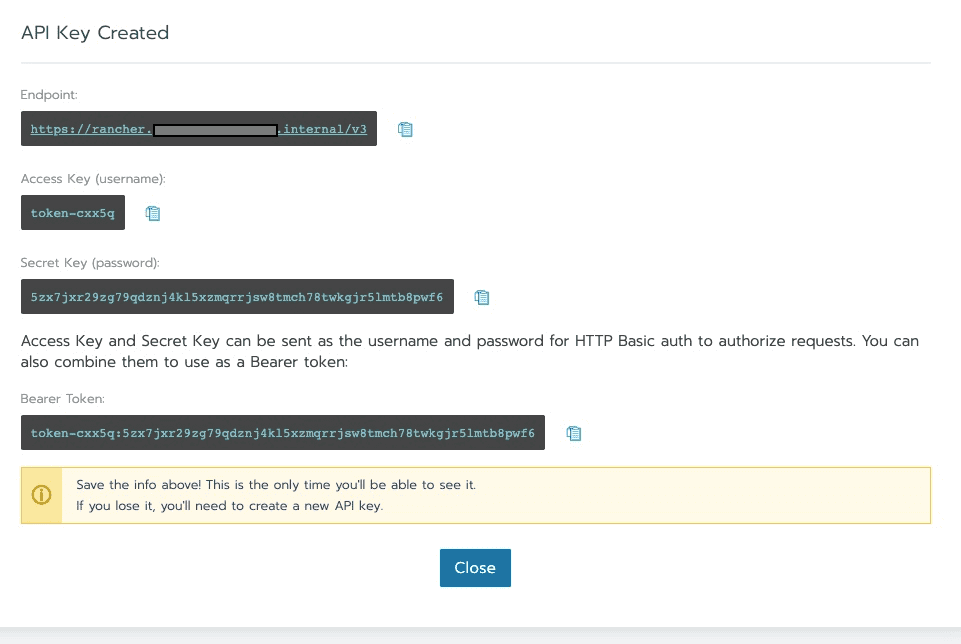
Spark driver needs a kube config file to be able to authenticate agains k8s API endpoints. Although it’s possible to use the above kube config file it’s probably not a good idea. You can create time limited api-key/token pair from Rancher UI by selecting the API & Keys menu from top right.

Click on Add Key and you will get a dialog with the access-key (username), secret key and bearer token. Bearer token is nothing more than a concatenation of access-key and secret key separated by a colon.
Using the previously generated kubeconfig file as a template you can replace the token-xxxx and token-xxxx:zzzzzzzzz with access-key and bearer token as shown below.
...

users:
- name: "token-xxxx"
  user:
    token: "token-xxxx:zzzzzzzzz"

contexts:
- name: "mycluster"
  context:
    user: "token-xxxx"
    cluster: "mycluster"

current-context: "openstack"
Setting up a namespace
This K8S cluster doesn’t allow workloads to be run in the default k8s namespace. So everything you do in kubectl needs to specify the namespace. You can create a namespace using kubectl, but I used the Rancher UI to create a project and a namespace. For purpose of this post lets call them myproject and myns.
Launching spark job in the namespace
For a spark job to be associated with above created namespace, it needs to be launched with following config parameter in spark-submit.
--conf spark.kubernetes.namespace=mynsSetup a service account, role and role binding for Spark
Spark needs a service account with permission to create pods in the namespace. This could be achieved by associating either a role/rolebinding or cluster role/cluster role binding to the service account. Following yaml config might need a user with admin access to k8s cluster to apply successfully.
# spark-sa.yaml

apiVersion: v1
kind: ServiceAccount
metadata:
  name: spark-sa
  namespace: myns
---
apiVersion: rbac.authorization.k8s.io/v1
kind: Role
metadata:
  name: spark-role
  namespace: myns
rules:
- apiGroups:
  - ""
  resources:
  - "pods"
  verbs:
  - "*"
---
apiVersion: rbac.authorization.k8s.io/v1
kind: RoleBinding
metadata:
  name: spark-role-binding
  namespace: myns
subjects:
- kind: ServiceAccount
  name: spark-sa
  namespace: myns
roleRef:
  kind: Role
  name: spark-role
  apiGroup: rbac.authorization.k8s.io
This could be applied by running
kubectl -f spark-sa.yaml apply -n mynsChecking that service accounts exists
kubectl get -n myns sa
kubectl get clusterrole -n myns
kubectl get clusterrolebinding -n myns
Configuring spark job to use the service account
For the spark job to assume service account role created above and permissions associated with it, you need to supply the following config parameters when launching job through spark-submit.
--conf spark.kubernetes.authenticate.driver.serviceAccountName=spark-sa \Setting up a persistent volume claim (PVC) for kubeconfig file used by spark driver
When the spark driver starts on the k8s cluster in client mode it needs to be able to autenticate with k8s cluster to request executor pods. To do this spark driver needs a kubeconfig file with permissions for creating pods. In our case we used the same kubeconfig file we use for Airflow.
# spark-conf-pvc.yaml

apiVersion: v1
kind: PersistentVolumeClaim
metadata:
  name: "spark-conf"
  namespace: myns
spec:
 accessModes:
  - ReadWriteOnce
 resources:
   requests:
     storage: 1Gi
 storageClassName: scaleio
kubectl apply -f spark-conf-pvc.yaml -n mynsSetup any custom docker registry under project/namespace
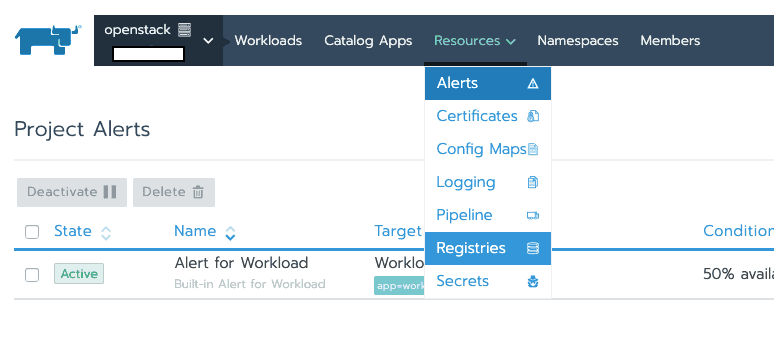
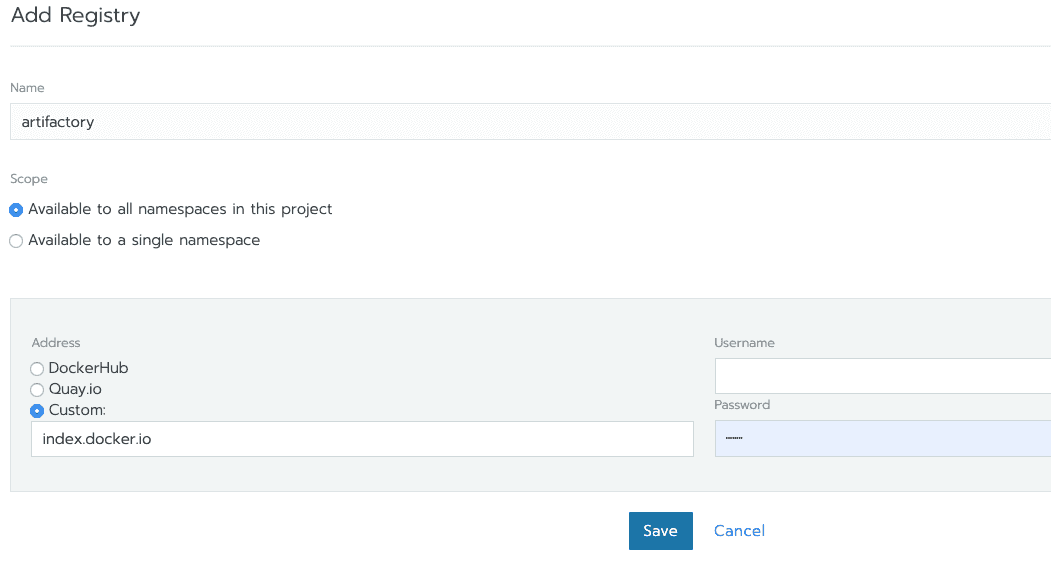
If you have a custom docker registry to pull docker images from, you need to configure the credentials for accessing it as shown here.
Create a temporary deployment to copy the kubeconfig file to PVC
In order to make the kubeconfig file available to spark driver we need to mount the above created PVC on a Pod and copy kubeconfig file into it. I just created a new deployment from Rancher UI using ubuntu:xenial image and mounted the previously created PVC on /.kube as shown below.
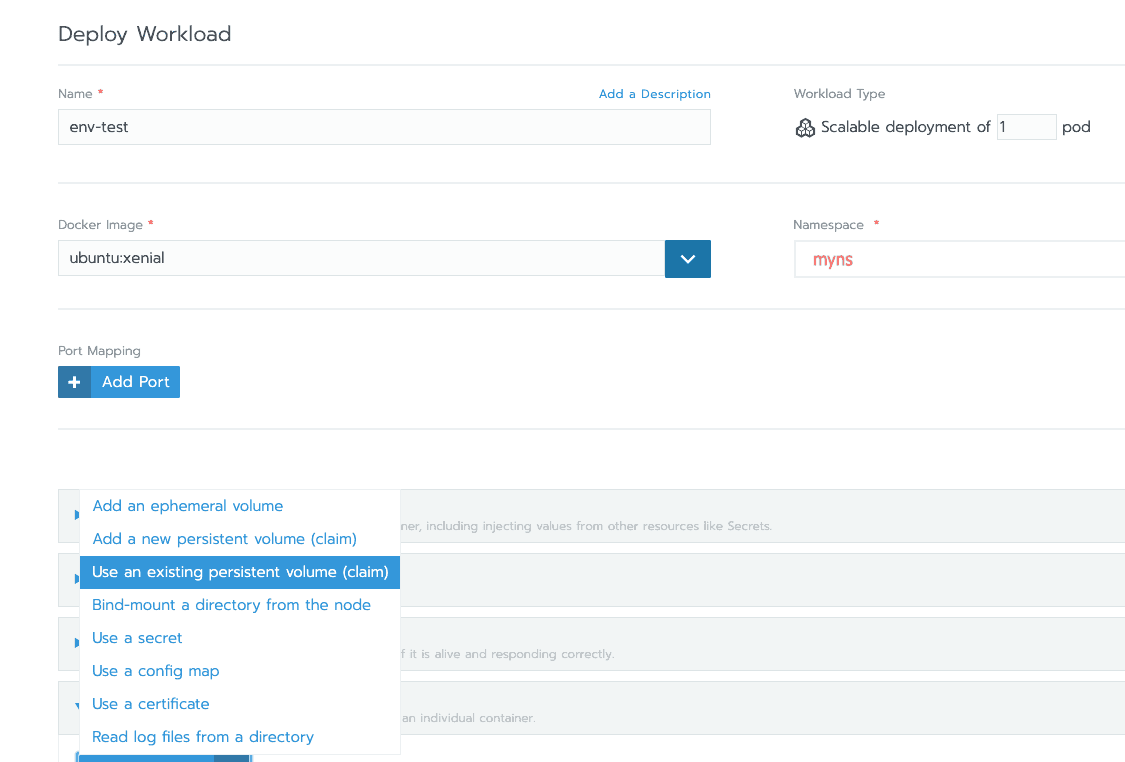
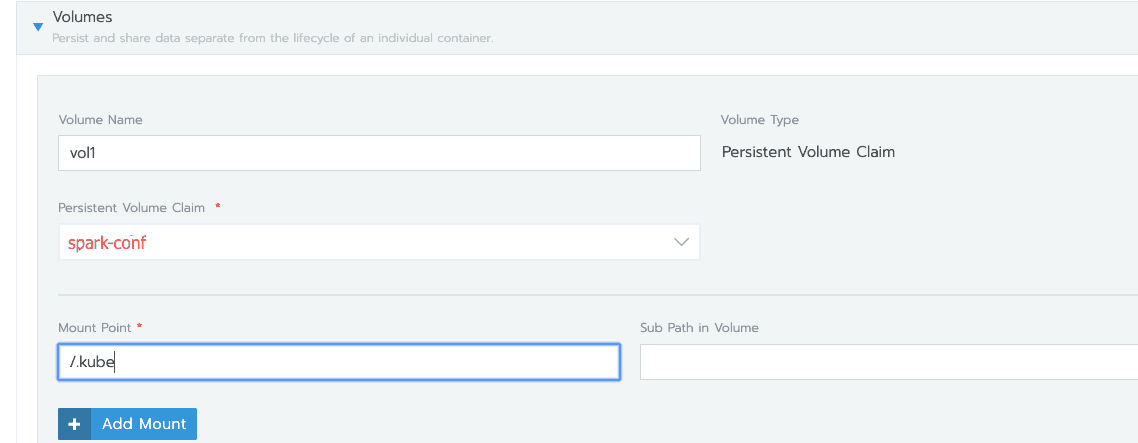
Get the pod name and copy the kubeconfig file from local machine as below.
kubectl get pods -n myns # say this command returns tmp-56884d5985-p2dbk

kubectl cp k8s-spark-sa-conf tmp-56884d5985-p2dbk:/.kube/k8s-spark-sa-conf -n myns # note spark job script looks for a file named k8s-spark-sa-conf

chmod 600 /.kube/config # change to owner readable only
As part of the environment for spark-submit script you will need to configure the location of kubernetes config file like so:
export KUBECONFIG=/.kube/k8s-spark-sa-conf
Setup k8s secrets (eg. passwords to access any data stores)
If your spark jobs require access to data stores like databases or no-sql stores, the easiest way to setup passwords accessible from jobs is using k8s secrets mechanism. These secrets can be mounted on file system in driver pod or can be made available as environment variables to the job.
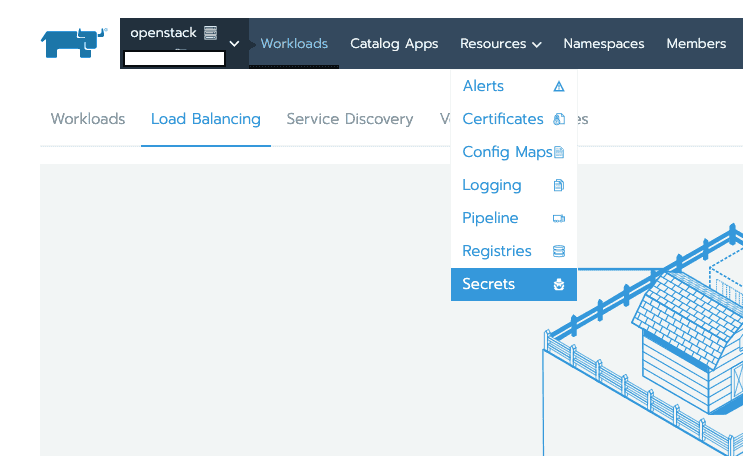
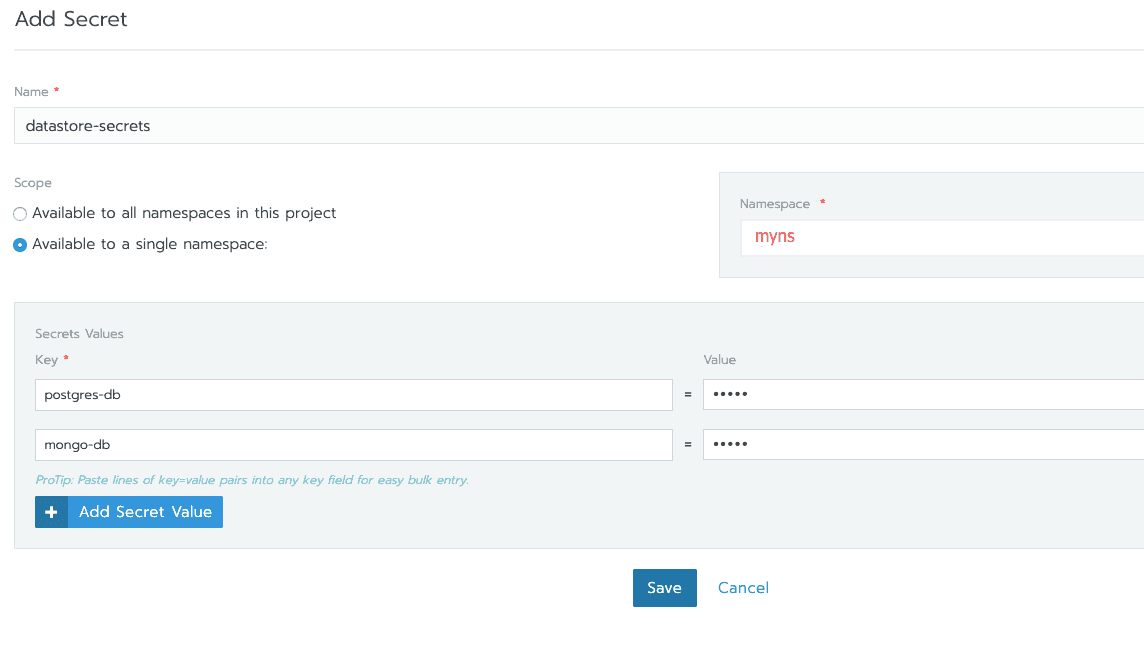
Accessing the secrets from driver node as files
To access these secrets from driver pod as a directory you will need to add the following config to spark job.
--conf spark.kubernetes.driver.secrets.datastore-secrets=/etc/datastore-secrets \In example above, each of the secret name/value pairs defined in datastor-secrets will appear as a file in /etc/datastore-secrets, with file name being the secret name and contents are the plain text secret value.
Create a k8s service for spark driver
For the spark executor pods to be able to communicate with the spark driver using a stable host name, it’s required to specify a k8s service name. And the blockmanager port needs to be assigned a fixed port number as well. In the example below block manager is assigned port number 32000. In order for the Spark UI to be accessible from other hosts, port 4040 needs to be exposed via k8s service definition as well.
# spark-service.yaml

apiVersion: v1
kind: Service
metadata:
  name: spark-driver-customer-survivorship
  labels:
    service: spark-driver-customer-survivorship
spec:
  clusterIP: None
  ports:
  - port: 4040
    name: spark-ui
  - port: 32000
    name: driver-executor
  selector:
    service: spark-driver-customer-survivorship
kubectl apply -f spark-service.yaml -n mynsConfigure the port used by driver to communicate with executors
--conf spark.driver.port=32000 \Create docker image with PySpark job and dependencies
Spark distributions from version 2.4.1 upwards include scripts to build a docker container with that distribution bundled. The supplied docker file is based on Alpine linux, something important to remember if you plan on adding any new packages.
Add TLS certificates to Java trust store in docker image
The enterprise K8S cluster uses TLS certificates in K8S Rest API. The JRE/JDK bundled in the docker container doesn’t include TLS certificates. If you have an enterprise CA you will need to add those certificates so that the TLS client can validate server certificates.
Monitoring what’s going on
When a spark job is launched on k8s there will be a corresponding pod for the spark driver and each executor. You can get status of each pod like so.
kubectl get -n myns podsSometimes k8s will refuse to launch or schedule the pods for Spark executors. Usually the best place to understand why that happened is to look at the recent events in your namespace.
kubectl get events -n mynsFor example sometimes you get output like this:
0s          2s           4         job-1562222171692-exec-2.15ae20cbc59dc80c   Pod                                                  Warning
FailedScheduling   default-scheduler                                        0/6 nodes are available: 2 Insufficient cpu, 5 Insufficient memory, 6 Insufficient ephemeral-storage.</code></pre>
Pitfall: Too many executors
When I started I used 8 executors without specifying the number of cores per executor. I found this to slow down the job significantly. After all each spark executor creates a K8S pod and a JVM on each pod. What seemed better was to reduce the number of executors to 2 and specify 4 CPU cores per executor. The K8S development cluster had 3 worker nodes with 8 cores each, this would distribute the workload in a such a way that each node would get an executor pod or the driver pod running on them.
--conf spark.executor.instances=2 \
--conf spark.executor.cores=4 \
Remapping the spark.local.dir
Spark uses local node storage heavily for shuffle output and persisting Dataframes and RDDs. This uses the directory specified by spark.local.dir which by default is /tmp. On k8s spark uses an
emptyDir[ volume mount with a unique name for spark.local.dir. This makes it impossible to map the actual location of spark.local.dir when an executor pod is launched.
So my first attempt was to remap spark.local.dir using a hostPath volume like this.
--conf spark.local.dir=/spark_tmp \
--conf spark.kubernetes.executor.volumes.hostPath.spaklocal.mount.path=/spark_tmp \
--conf spark.kubernetes.executor.volumes.hostPath.spaklocal.mount.readOnly=false \
--conf spark.kubernetes.executor.volumes.hostPath.spaklocal.options.path=/tmp \
But unfortunately this throws an exception which seems to be addressed by following PR https://github.com/apache/spark/pull/24879. The PR was raised for the 3.0 branch and at the time of this writing, there was no release date. So I had to find a workaround. The workaround is to increase the ephemeral storage limit described below.
Increase the ephemeral storage limit for Spark
During the testing of this particular spark job, I notice that disk usage across all executors peaks around slightly more than 100GB. Most of this storage goes into shuffle writes (80%). When I first started, the executor pods will fail with a message like this through about half of the job.
Executor 1
Removed at 2019/07/04 01:35:47
Reason:  The executor with id 1 exited with exit code -1.
The API gave the following brief reason: Evicted
The API gave the following message: Pod ephemeral local storage usage exceeds the total limit of containers 20Gi.
The API gave the following container statuses:
Apparently this is caused due to the default ephemeral storage limit of 20Gi. I was planning on running 2 executors on 2 different nodes. The following k8s config increases the default storage limit on each pod to 50Gi.
# ephemeral-storage-limit.yaml

apiVersion: v1
kind: LimitRange
metadata:
  name: ephemeral-storage-limit-range
spec:
  limits:
  - default:
      ephemeral-storage: 50Gi
    defaultRequest:
      ephemeral-storage: 50Gi
    type: Container
You might have to ask a cluster admin to to apply the ephemeral storage limit range.
Reducing the ephemeral storage use for shuffle output
Initially I had RDD compression enabled to reduce the IO using spark.rdd.compress config parameter.
--conf spark.rdd.compress=true \But after reading this comparison https://www.slideshare.net/databricks/best-practice-of-compressiondecompression-codes-in-apache-spark-with-sophia-sun-and-qi-xie about the various compression codecs bundled with Spark, I decided to try zstd compression which seems to achieve a medium level of compression with medium level of CPU usage.
--conf spark.io.compression.codec=zstd \
--conf spark.io.compression.zstd.level=3 \
The above configuration managed to reduce the ephemeral storage use from slightly more than 100GB to about 45GB. It added about 12% extra to job running time. Above settings not applies to RDDs as well as shuffle write storage.
Accessing Spark UI
The k8s service configration described above exposes the Spark UI on driver at port 4040. You can access it by doing a kubectl port forward to localhost.
kubectl port-forward $(kubectl get -n myns pods | grep driver | awk '{ print $1; }') 4040:4040 -n mynsThis will make Spark UI available at http://localhost:4040
Written by Francois Fernando, a software craftsman and tinkerer.